The problem
A family law matter generates the same information over and over: names, dates, children, income, assets and debts, typed into one form after another. Clients get long paper questionnaires they don't finish. Financial documents arrive as an unlabeled pile. Deadlines live in someone's head or on a spreadsheet. Off-the-shelf case management tools track the matter but don't do much of the work.
The goal was a system that collects each fact once, from the person who knows it, and then puts it to work everywhere it's needed.
What was built
1. Client intake and walkthroughs
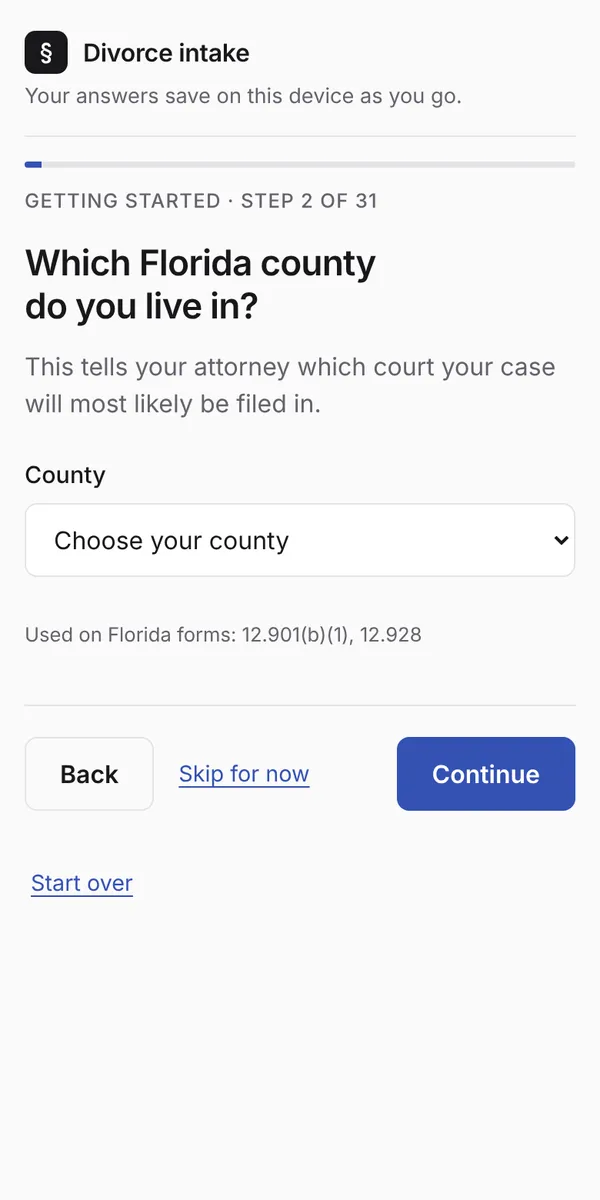
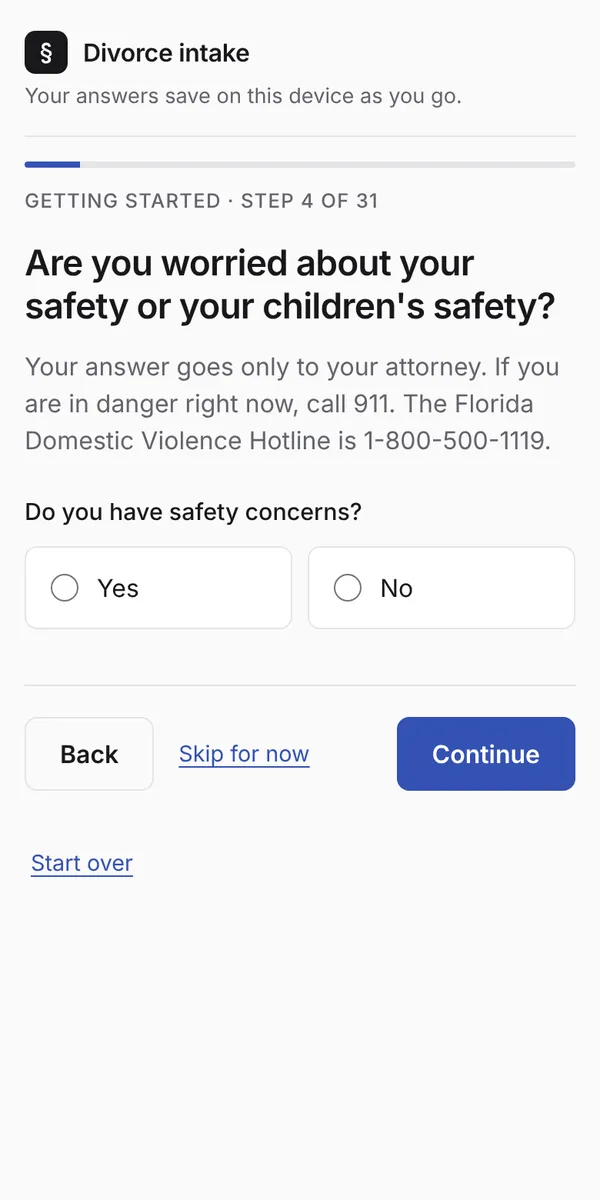
The client starts from a link on the firm's website. Each screen asks one question in plain English, with pick lists for county, residency and parenting schedules. Answers save on the client's own device, so they can stop and come back. A review page lets them check everything before sending, and sending creates the matter on the firm's side.
Two follow-up walkthroughs open from a private link: a financial walkthrough where income, deductions and expenses are checklists with amounts entered weekly, every two weeks or monthly (the software converts everything to monthly), and a document walkthrough with one screen per requested item and uploads straight from the phone.
2. Attorney review and document generation
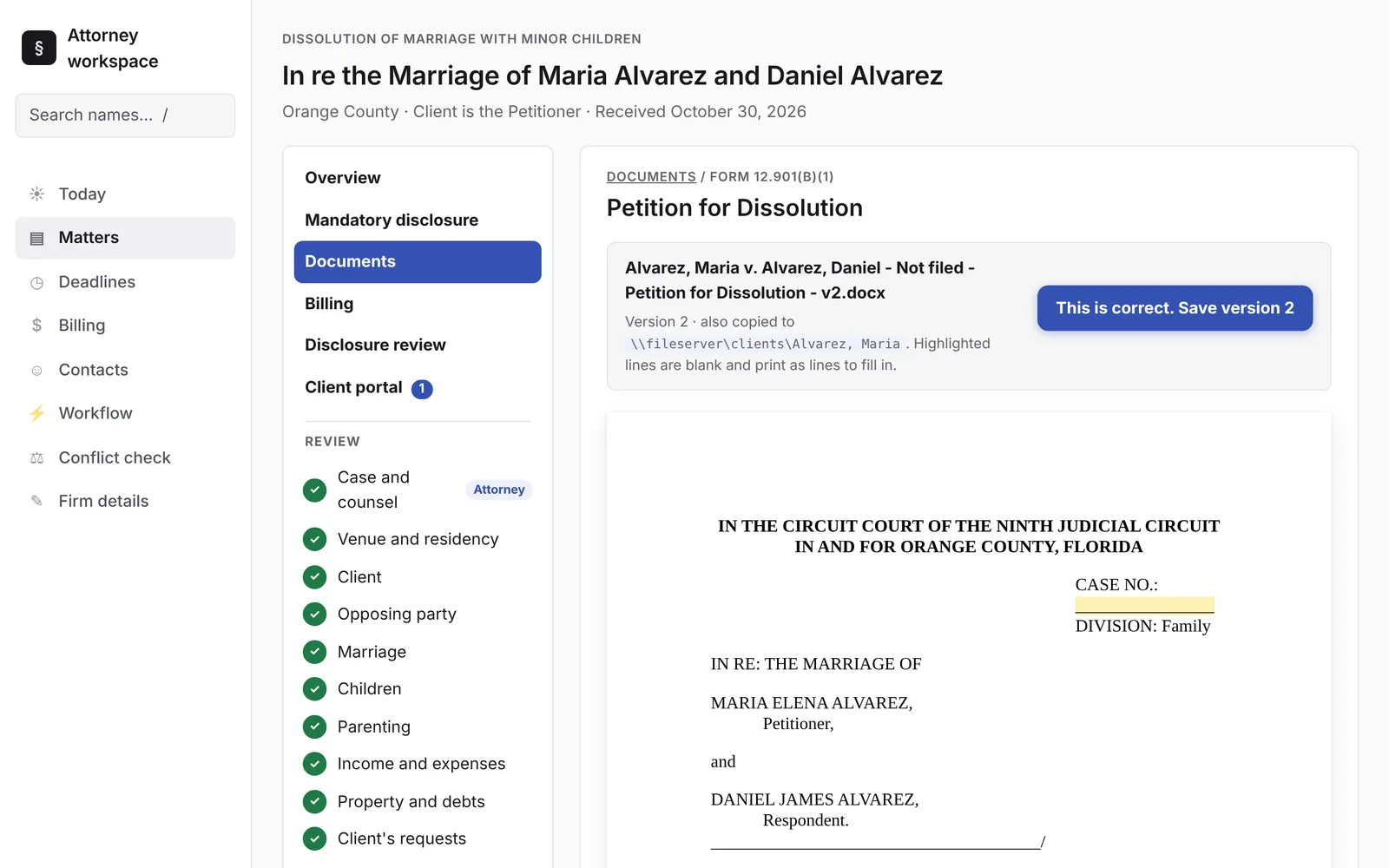
On the firm's side, each matter is reviewed in the same sections as the intake, plus sections only the firm fills in. Each section is confirmed separately, and editing a confirmed section un-confirms it, so nothing is generated from unreviewed data.
From there the system drafts 50 Florida Supreme Court family law forms as editable Word files: the petition, answers and counterpetitions, financial affidavits, the child support guidelines worksheet (calculated from the statutory schedule), parenting plan, settlement agreement, summons, discovery and subpoena forms, notices, and proposed final judgments, plus post-judgment and no-children variants. The attorney previews each document on screen before saving, and every version is kept with a consistent file name.
3. Case management
- Today: overdue items, the next two weeks of deadlines, open tasks, new intakes, matters by stage and recent activity.
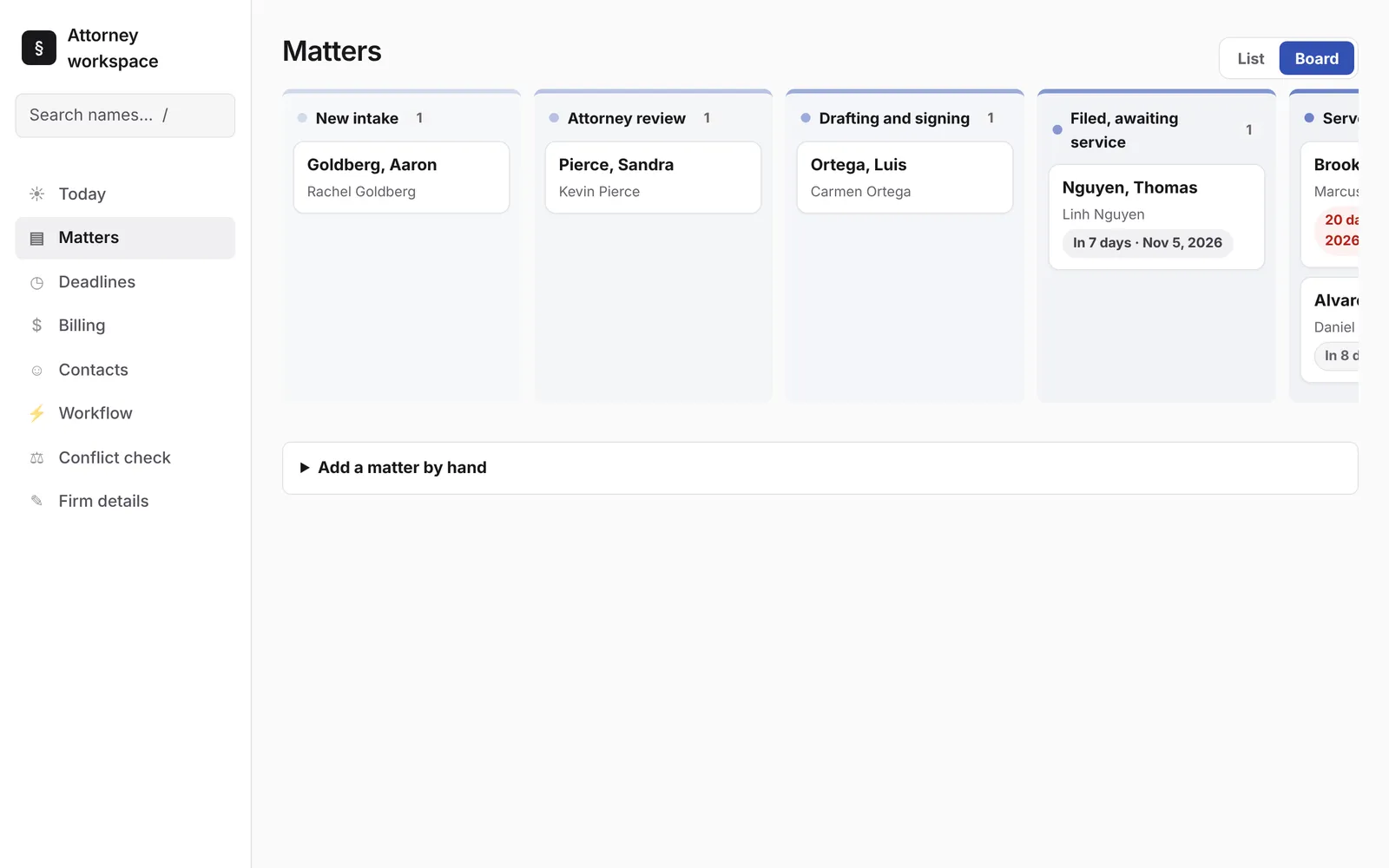
- Matters: a list or a board with a column per stage, and a matter overview with tasks, notes, contacts and a full history.
- Deadlines: calculated from the filing and service dates using rules the firm configures, moved off weekends and court holidays, and exported to Outlook or Google Calendar.
- Disclosure tracker: every requested item for both sides, with client uploads marked as they arrive.
- Conflict check: searches every client, spouse, child and other party across the firm.
4. Workflow builder
Each automation reads as a sentence: when something happens, only if a condition holds, then one or more steps. Triggers include a new matter, a stage change, a date before or after a key event, a saved document or a completed task. Steps add tasks, set deadlines, raise alerts, send e-mails, create documents or move the matter. The firm starts with a full set of stage checklists and can change any of it.
5. Client portal
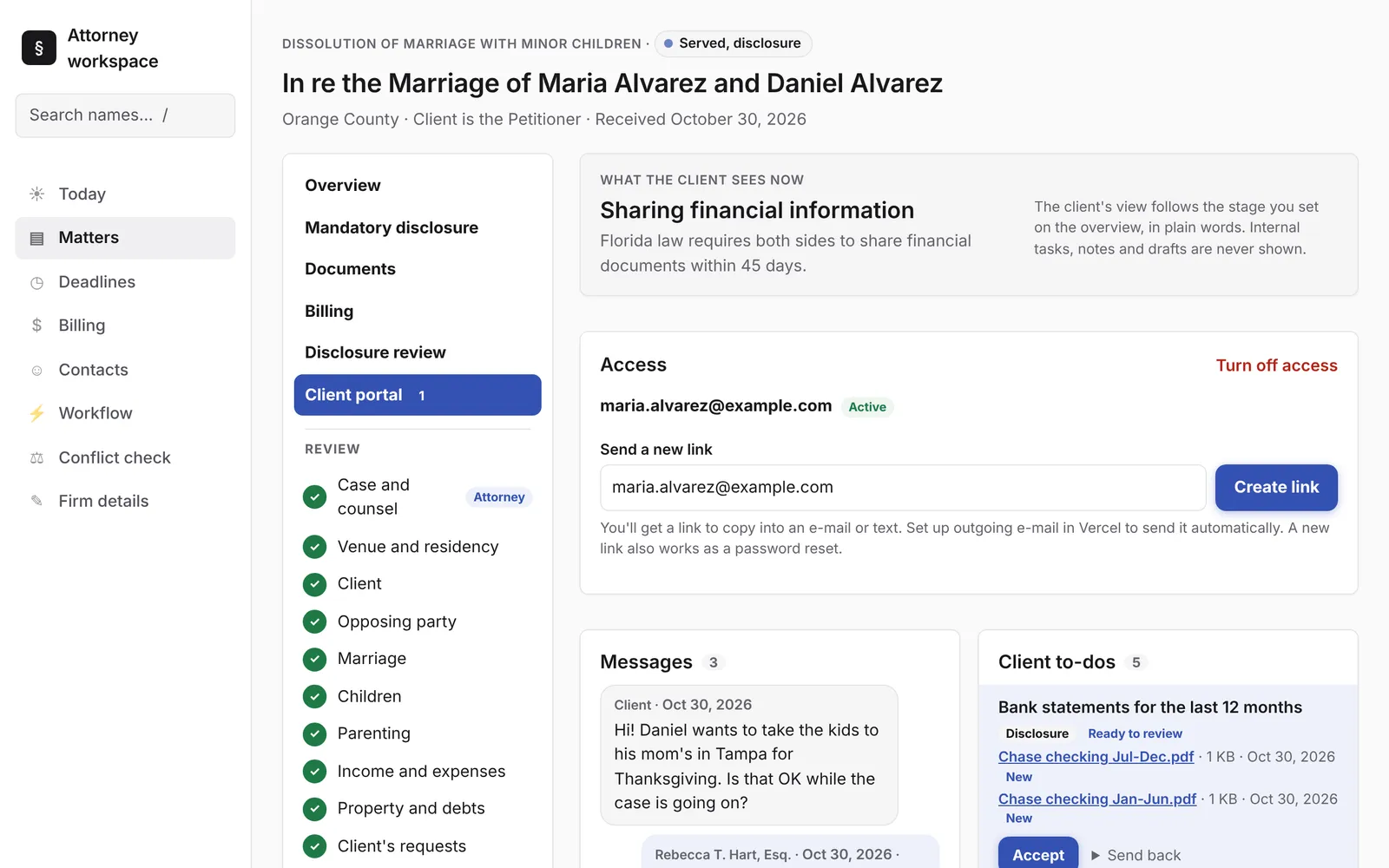
Clients sign in from their phone to see the current stage in plain words, what's happening and what they can do. They get a to-do list, private messages and only the documents the firm chooses to share. Invite links work once, passwords have minimum lengths and lockouts, and a quick-exit button on every page jumps to a weather site for clients who may be watched at home.
6. Billing (prototype)
Time and costs by timekeeper, invoices and payments, shown next to each matter and across the firm. This part is a working prototype: payments are recorded, not processed.
7. Claude AI
Claude reads each side's financial documents, matches unlabeled files to checklist items, summarizes the production with gaps and items worth a closer look, and answers questions with the file, page and quote it relied on. It also drafts workflow automations from a plain-English description. Every result goes to a person to confirm. More on the Claude features.
How it's built
- Python and Flask, with Jinja templates and a small amount of plain JavaScript
- Postgres in the cloud, or a local database for an office install
- Word templates the firm can edit in Word, filled by the document engine
- Anthropic's Claude API for document review and the workflow assistant
- Hosted on Vercel, with a double-click launcher for an in-office Windows install
- Automated tests and linting on every change
What it means for your firm
The pieces here (intake, document generation, deadlines, portal, billing, workflow and AI review) are the building blocks for any practice area. A personal injury, estate planning or immigration firm would have different forms, stages and checklists, but the same engine underneath.
All clients, firms and documents shown are fictional. The software drafts documents from information the firm enters; attorneys review every document before it's used.